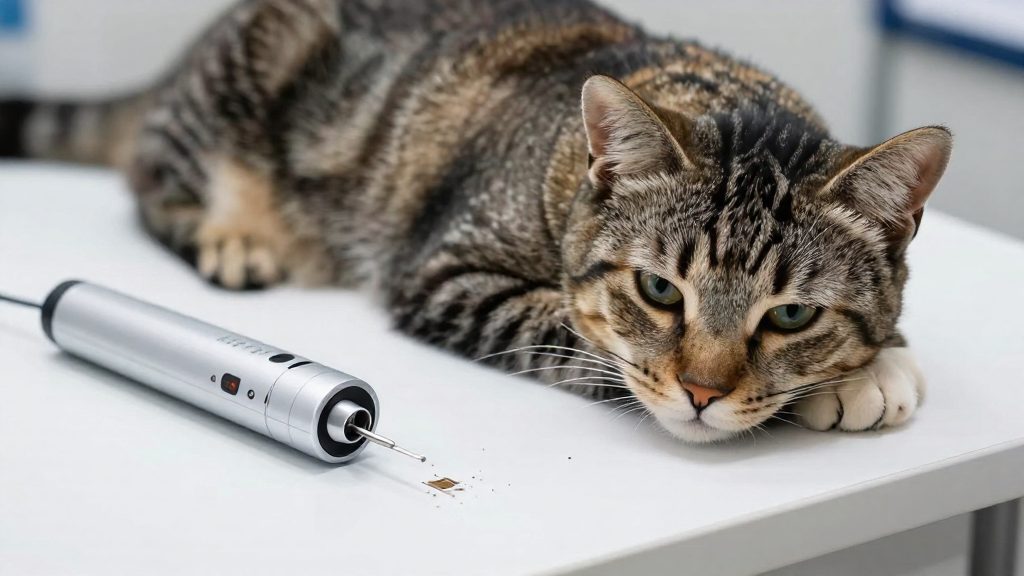
A microchip on its own does not return a lost pet. The implanted chip stores a unique identification number, and that number leads to an owner only when it is linked to contact details in a registry. An unregistered chip still works with a scanner, but the number it returns has no owner attached, so the person who finds the animal has nothing to act on.
Why registering a microchip matters
Why unregistered chips fail when pets are lost
A found animal is reunited with its owner only through a sequence of steps. Each step depends on the one before it.
| Step | Registered chip | Unregistered chip |
|---|---|---|
| Scan | The reader displays the ID number. | The reader displays the same ID number. |
| Lookup | The registry record returns the owner’s contact details. | No record exists, so the lookup returns nothing to act on. |
| Contact | The finder or shelter reaches the owner. | No one can reach the owner, and the animal remains with the finder, shelter, or vet. |
The chip hardware is identical in both columns.
Shelters and vets scanning found animals for owner contact
Shelters and veterinary clinics commonly scan found animals, but the consulted sources do not describe their intake procedures, so ask the facility. The scan is the step that connects an animal to an owner, but the scan alone gives only a number. Staff then need a registry record to convert that number into a phone call or email. Where no record exists, the animal’s details cannot be matched to anyone, and the search for the owner has to rely on other evidence, such as a collar tag, a photo, or a report of a missing animal.
Stakes for owners of pets that escape
A pet that escapes a home or yard may be found some distance away, sometimes by someone who has no way to know where it lives. Collars and tags can be removed or can fall off, so a chip can be an identifier that stays with the animal, provided it is registered and can be read.
Is a microchip the same as registration?
No. A microchip and a registration are separate things, and a pet can have one without the other. The microchip is an implanted transponder that carries a unique identification number. The registration is a database record that links that number to a named owner and contact details. The chip does not identify the owner on its own. Only the database entry does.
Chip number versus owner record
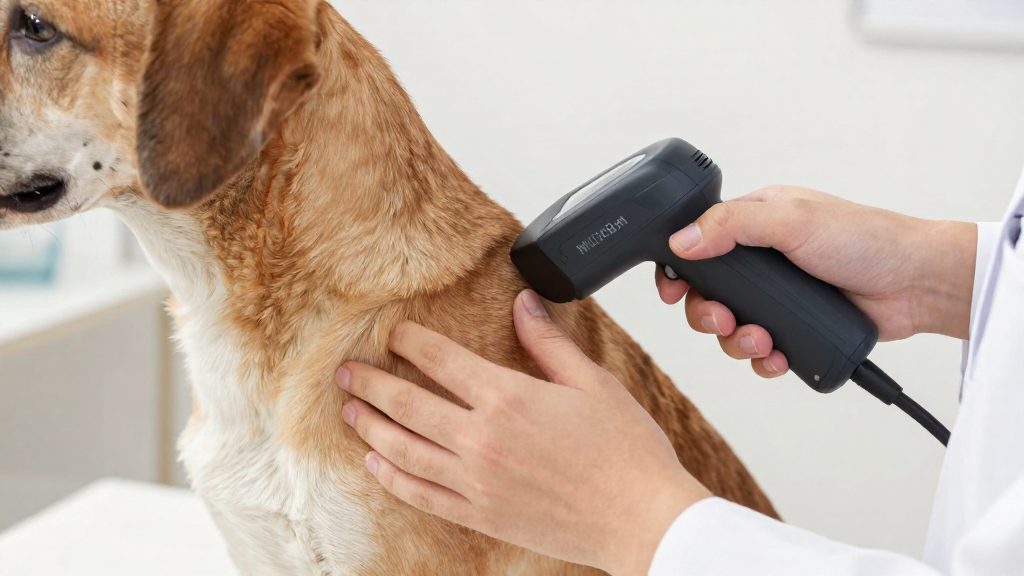
A scan returns the chip number and nothing else. A veterinarian or shelter must then look that number up in a registry to find the owner. If the chip is present but no record exists, or the owner’s contact details are out of date, the scan leads nowhere. Canadian registries are not a single shared database, so the record has to exist in the registry that holds the number.
Chip standards
The ISO 11784 and ISO 11785 standards cover animal transponders. The official sources consulted do not specify which of these standards the chips used in Canada follow, so this section does not state how a given chip conforms to them.
Recognized RFID product status
The National Companion Animal Coalition (NCAC) publishes a list of recognized RFID products. According to Alberta Animal Health Source (Government of Alberta) (2016-09-29), that list is a PDF whose last update was September 29, 2016, so it may be out of date. Confirm a product’s status with NCAC before relying on the list.
Which Canadian registries can you use?
Alberta Animal Health Source, a Government of Alberta resource, lists four Canadian microchip registries: EIDAP Inc., Microchip 4 Solutions Inc., Pethealth Inc. (24petwatch.com), and Petidco/Avid Canada and Datamars Inc. (PetLink) (Alberta Animal Health Source (Government of Alberta), 2026). mChip is a fifth option that is not in that list. Its own website states that it covers both the United States and Canada (mChip.org, 2026). Because a chip number is only useful if a lookup service can find the record, the key comparison is the scope of each registry rather than its name alone.
The four registries named by the Government of Alberta are:
- EIDAP Inc.
- Microchip 4 Solutions Inc.
- Pethealth Inc., which operates the 24petwatch.com service
- Petidco/Avid Canada and Datamars Inc., which operates PetLink
The official sources consulted do not describe the ownership or internal structure of these operators, so this section does not compare them on that basis.
Lookup participation
mChip.org (2026) states that it takes part in the AAHA Universal Pet Microchip Lookup Tool. The consulted sources do not say whether the other registries take part. That tool lets a shelter or veterinary clinic search across participating registries using a chip number. The official sources consulted do not specify whether the other four registries participate in that tool, so their lookup coverage should be confirmed directly with each operator before relying on it.
How do you register your pet’s microchip?
Registering a microchip means linking its ID number to an owner record in a registry database, so a shelter or veterinary clinic that scans the animal can reach you. Registration is a short sequence you complete with one registry of your choice.
Step 1: Read the chip number with a scanner
Before filling in any form, have a veterinary clinic, shelter or other facility scan the animal and read out the chip ID number. Write it down exactly as displayed, then check it a second time against the scanner readout. A single wrong digit links your details to a number that no scanner will ever return.
Step 2: Check that the chip is recognized
Confirm that the chip comes from a product the registry accepts. Verify the current status with the registry or the chip manufacturer before you submit.
Step 3: Complete the owner and pet fields
Open the registry’s own website and create an account or start a new record. Enter the chip number exactly as recorded in Step 1, then provide your owner details and a description of the pet. The official sources consulted do not specify the exact fields each registry requires, so follow the form shown on the registry’s site rather than a generic template.
Step 4: Confirm activation and keep the proof
After submitting, save any confirmation the registry displays or emails to you, and store it with your pet’s vaccination and identification records. The official sources consulted do not specify the format or timing of the confirmation or certificate, so do not assume one will arrive instantly. To test the record, you can search the number in a lookup tool.
What does registration cost?
Microchip registration fees in Canada are set by each registry operator, and the official sources consulted do not publish a common national amount. The main variable is the fee model. A lifetime model takes one payment that keeps the record active for the animal’s life, while an annual model requires recurring payments to keep the record current. The model often matters more than the sign-up price, because annual fees add up over a pet’s lifespan.
Lifetime versus annual subscription models
| Model | What the owner pays | What to confirm on the operator’s page |
|---|---|---|
| Lifetime | One payment for registration covering the animal’s life | Whether the payment covers all future updates or only the record itself |
| Annual | A recurring fee to keep the registration current | The renewal date and what the operator’s terms say happens if renewal is missed |
The sources consulted do not state the fee model for individual registries, so the model must be confirmed for each one.
mChip’s one-time per-chip fee
mChip.org (2026) charges a one-time registration fee for each microchip, with lifetime coverage. The fee is tied to the individual chip, so each microchipped animal requires its own payment. The page does not state an amount, and it does not name the operator behind the service.
Verifying current amounts
- Start from the operator list in the Government of Alberta source, not from search advertisements.
- Open the operator’s own website and find its fee or registration page. Note any publication or update date shown there.
- Check whether the amount is one-time or recurring, and what renewal requires.
- Check the currency and whether taxes or payment-processing charges are added at checkout.
- Repeat the check before paying, since fees can change.
Treat any fee figure without a date as unverified.

Keeping your contact details up to date
Each registry keeps its own account for every chip it registers, so an update made with one registry does not reach another.
Phone, email and postal address
Update each field separately when it changes: mobile number, email address and mailing address. A record with an old phone number or an email address you no longer check gives a finder no working way to contact you. Make changes through the registry’s own online account or customer service line, then reopen the record to confirm the new details were saved.
Secondary emergency contact
Some registries may let owners list a second person to call, so check whether yours does. Choose someone who knows the animal and can reach your home, and tell them they are listed. Review this entry whenever that person moves or changes number, because an outdated second contact provides no backup. The official sources consulted do not specify how many secondary contacts each registry allows.
Login credentials and account recovery
Your registry login is normally how you edit the record later, so keep it with your pet’s documents. Store the username and password somewhere you can reach if you are away from home. Keep the email address on the account active, since password resets commonly go there. When your phone number or email changes, update the recovery details on the account too, so that a lost password does not lock you out. If access is lost, contact the registry directly to recover the existing record. The official sources consulted do not describe each registry’s recovery steps.
The consulted sources do not describe how a lookup finds the registry that holds a chip, so keep the details current with the registry that holds your record.
What if you move or adopt a microchipped pet?
A microchip stays in the animal, but the registry record that links the chip number to an owner does not always change hands on its own. This applies when you adopt, when you move to another province, and when you bring an animal from abroad. The official sources consulted do not describe one national transfer procedure, so the steps below cover what to check and whom to ask rather than fixed timelines.
Adopting from a shelter
Before you take the animal home, ask the shelter for three things: the chip number, the name of the registry where it is enrolled, and whose name the record currently carries. Then ask that registry how to put the record in your name. Each registry sets its own process, and the official sources consulted do not specify the steps for each one. Knowing which registry holds the record tells you where to send the transfer request.
Moving between provinces
A move between provinces does not change the chip. The question is whether your current registry keeps the record active for an owner in a new province. Ask the registry directly before you assume it does. Only consider switching registries if the current one cannot serve you, and make sure the new registry accepts the existing chip number before you start.
Pets arriving from outside Canada
A chip implanted or registered abroad may already be in a database that serves Canada. Keep the original registration documents with the animal.
| Situation | First step | What the sources confirm |
|---|---|---|
| Adopting from a shelter | Get the chip number and registry name from the shelter | — |
| Moving between provinces | Ask the current registry whether the record stays active | Provincial transfer steps are not specified in the sources consulted |
| Arriving from outside Canada | Check whether the chip’s registry covers Canada | — |
Checking local pet identification rules
Pet identification requirements in Canada may be set at the provincial or municipal level, and they can differ from one place to another. The rules that apply to a dog, cat or other companion animal depend on where it lives, so confirm the requirements for your own province and your own municipality before microchipping. A provincial rule and a city by-law can both apply to the same animal.
Checking provincial and municipal rules
Use this sequence to find the rules that apply to you:
- Start with your provincial government website. Search for pet identification or animal welfare legislation and note the name of the governing act or regulation.
- Check your municipality’s animal control or by-law page. Municipal rules can differ from provincial ones, so read both.
- Record the publication or update date on each page. Official pages are revised, and an undated page may not reflect current requirements.
- Confirm with your veterinarian that the chip type and implantation record you plan to use meet your local rules.
Alberta
For Alberta, Alberta Animal Health Source (Government of Alberta, 2026) is the official reference to start from. The official sources consulted do not specify whether Alberta or any other province operates its own provincial microchip registry, so verify that point on the relevant government site rather than assuming one exists.
Dated reference lists
Confirm current acceptance of any RFID product with your municipality or veterinarian.
Frequently asked questions
Which registries can I use for a pet microchip in Canada?
Alberta Animal Health Source (Government of Alberta, 2026) lists four Canadian pet microchip registries: EIDAP Inc., Microchip 4 Solutions Inc., Pethealth Inc. (24petwatch.com), and Petidco/Avid Canada and Datamars Inc. (PetLink). Any of these can hold the contact record linked to your animal’s chip number.
How do I know if my chip’s technology is recognized?
The National Companion Animal Coalition (NCAC) publishes a list of recognized RFID products, but the version the Government of Alberta links to was last updated on September 29, 2016 (Alberta Animal Health Source, Government of Alberta, 2016-09-29). Because it may be out of date, confirm the chip’s details with the registry before assuming it is on the list.
Does mChip.org cover pets in both the US and Canada?
According to mChip.org (2026), the service covers both countries and charges a one-time fee per chip for lifetime coverage. The site also takes part in the AAHA Universal Pet Microchip Lookup Tool, which lets shelters and vets search for an owner across participating registries. The page does not state the fee amount or name the company that operates the service.